Compare contribution
The party list shows total damage and each player’s share.
Break down your Aion 2 fights: see each player’s contribution, skills and damage over time on a single panel.
Click the button to download the installer.
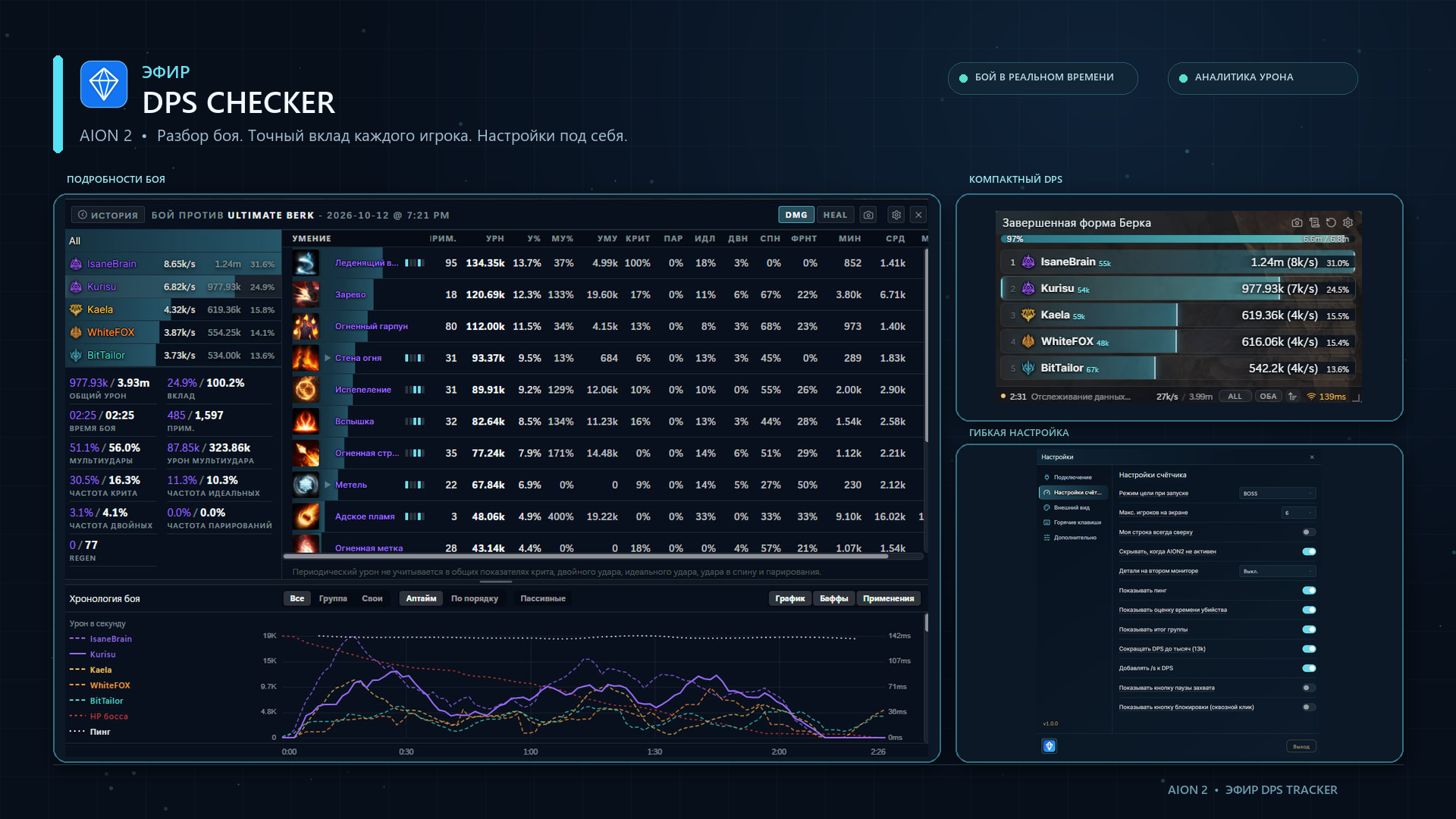
The screenshot shows the main tracker modes: a detailed table, a compact party list and flexible settings.
The party list shows total damage and each player’s share.
The skill table and chart show how damage changed during the fight.
Choose the layout and tracker options in the settings panel.
Npcap is a required component: the program will not start without it. You can download it at npcap.com.
The installer is built for Windows.
Each player’s damage and share, a skill table and a chart of damage over the course of the fight.
Yes, the layout is chosen in the settings, from a detailed table to a compact party list.
